

Today, we’re launching the new MetroTrade experience. We’ve rebuilt our web trading platform, released a new mobile app, and updated the account portal so every part of trading with MetroTrade works together.
This post covers what’s new, why we made these changes, and what to expect based on the type of account you have.
Here’s what’s new
- A new web trading platform. The MetroTrade platform is purpose-built for futures traders, with charting, order entry, and account monitoring in one browser-based workspace.
- A new mobile app. Our new mobile app is available on the App Store and Google Play, so you can log in, place trades, and check positions from your phone.
- More ways to fund a live account. New live accounts can be funded by ACH, debit card, Apple Pay, Google Pay, or wire transfer.
Your next steps depend on your account. New and existing users will each see portal options built for their situation.
What’s New at MetroTrade
A Purpose-Built Web Trading Platform
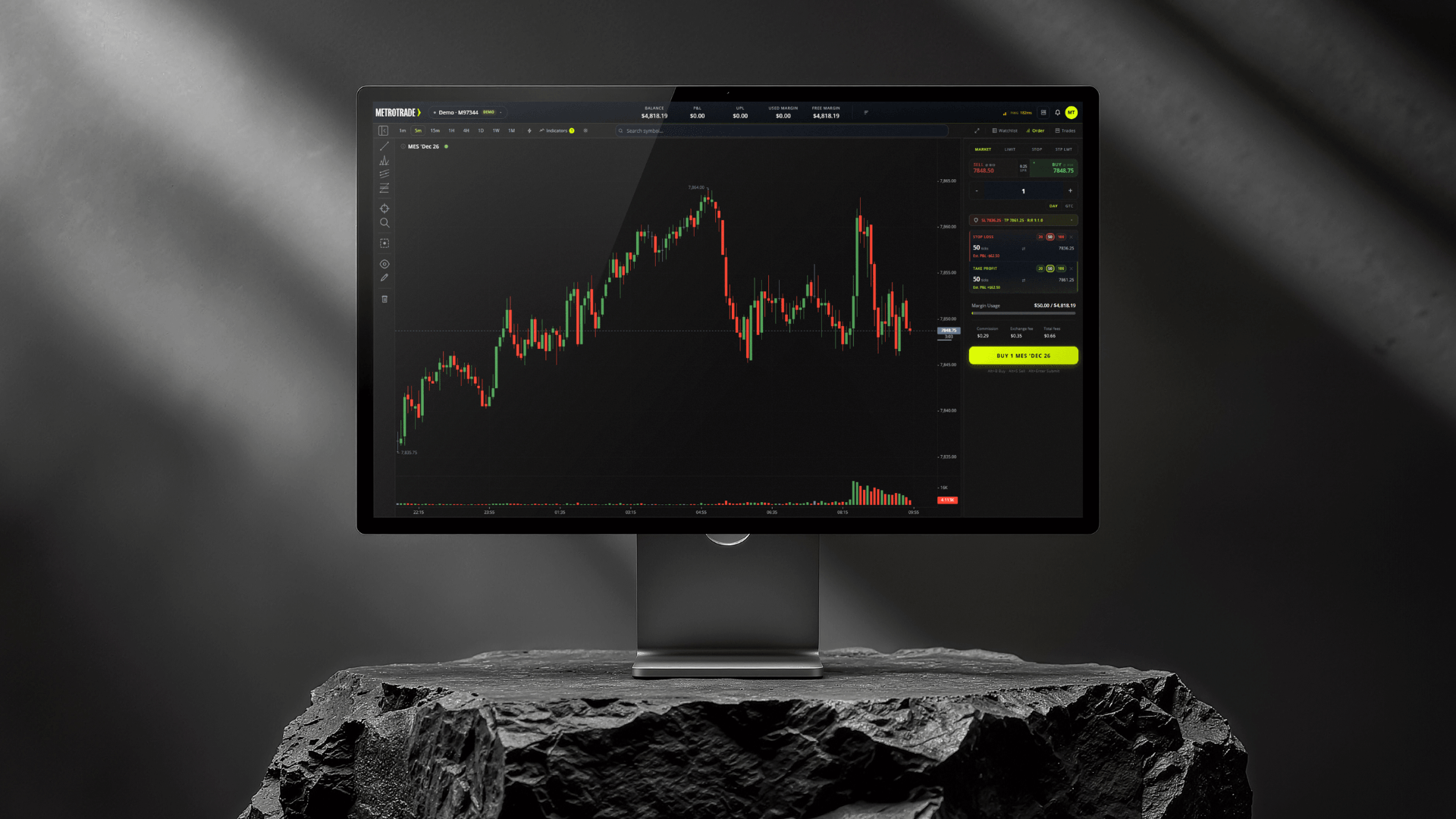
Our newly redesigned trading platform brings all your trading tools into a single workspace.
- Charting tools: Analyze price action on futures contracts with technical indicators and drawing tools.
- Drag-and-drop order entry: Place and adjust orders directly from the chart.
- Multiple order types: Plan entries, exits, and protective stops before or after you place a trade.
- Account monitoring: Track your balance, unrealized and realized profit and loss, and margin usage in real time.
Watch this platform walkthrough video to learn more:
A New Mobile App
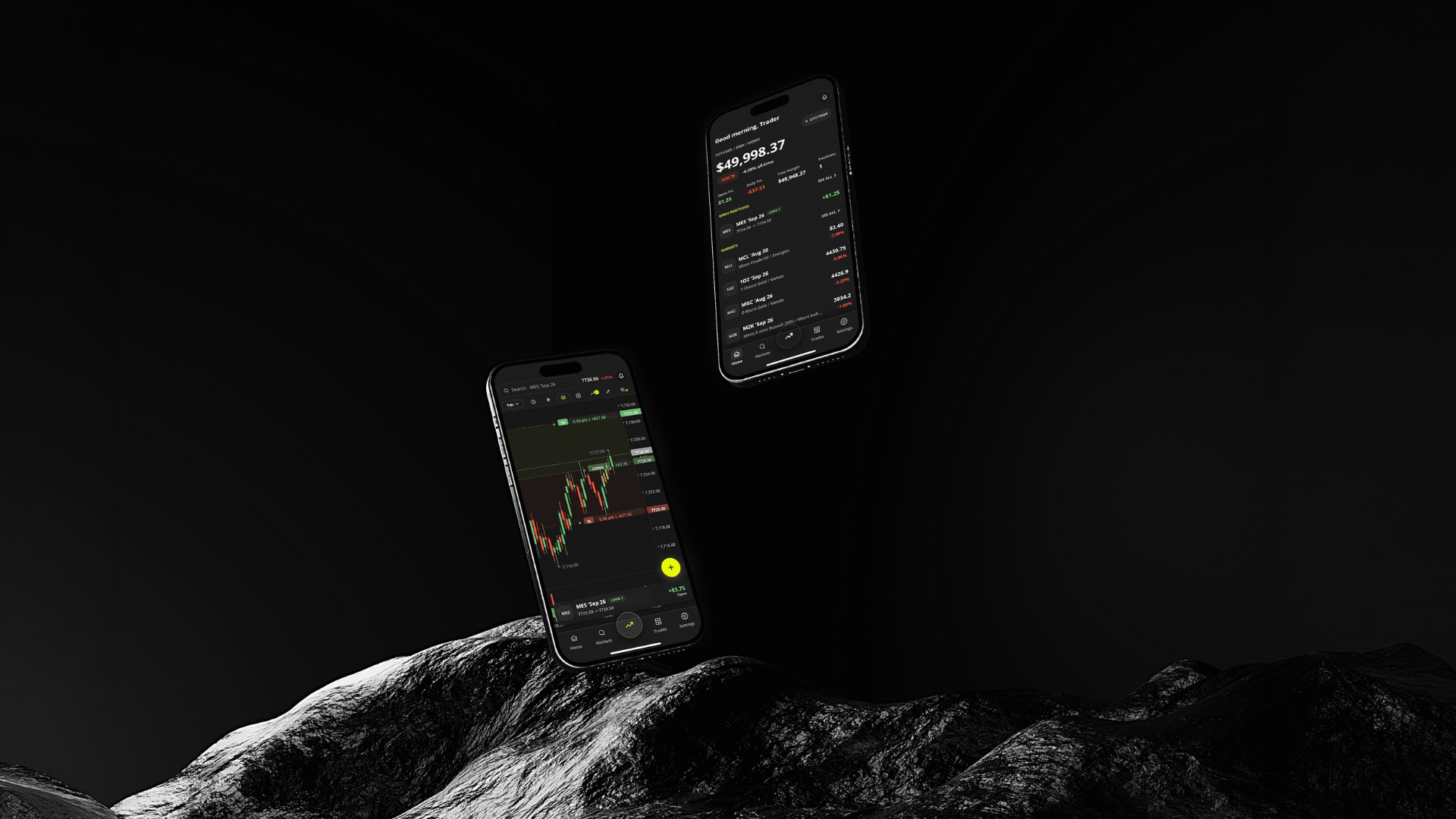
MetroTrade: Trade Futures is the new mobile app for the platform, available on the App Store and Google Play. Use it to log in, place trades, and monitor open positions when you’re away from your desk.
Account applications and funding are handled on metrotrade.com, not in the app.
More Ways to Fund Your Live Account
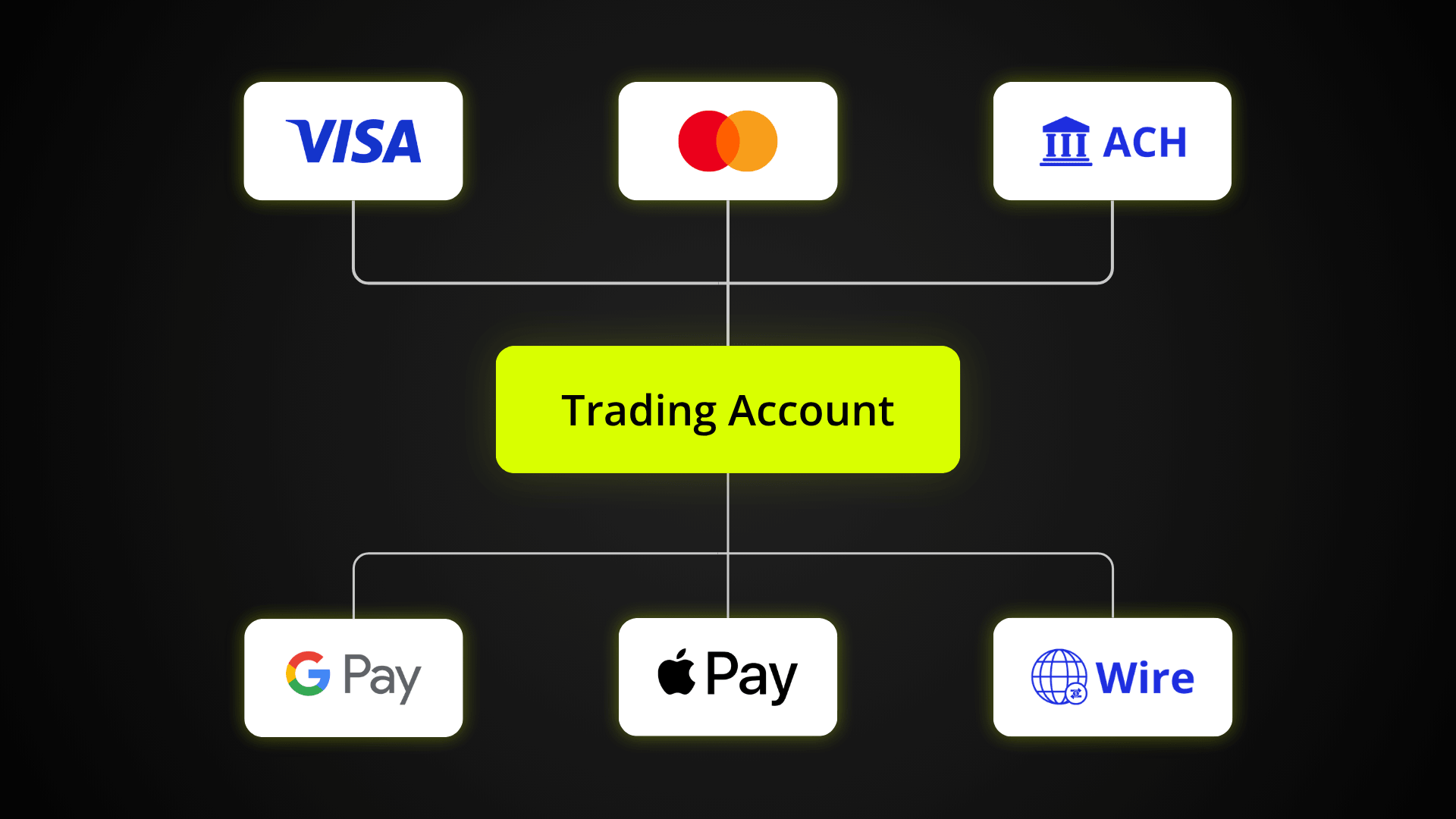
New live accounts can be funded using:
- ACH bank transfer
- Debit card
- Apple Pay
- Google Pay
- Wire transfer
Step-by-step instructions for each method are on our account funding page. Deposit methods may vary by location.
An Updated Account Portal
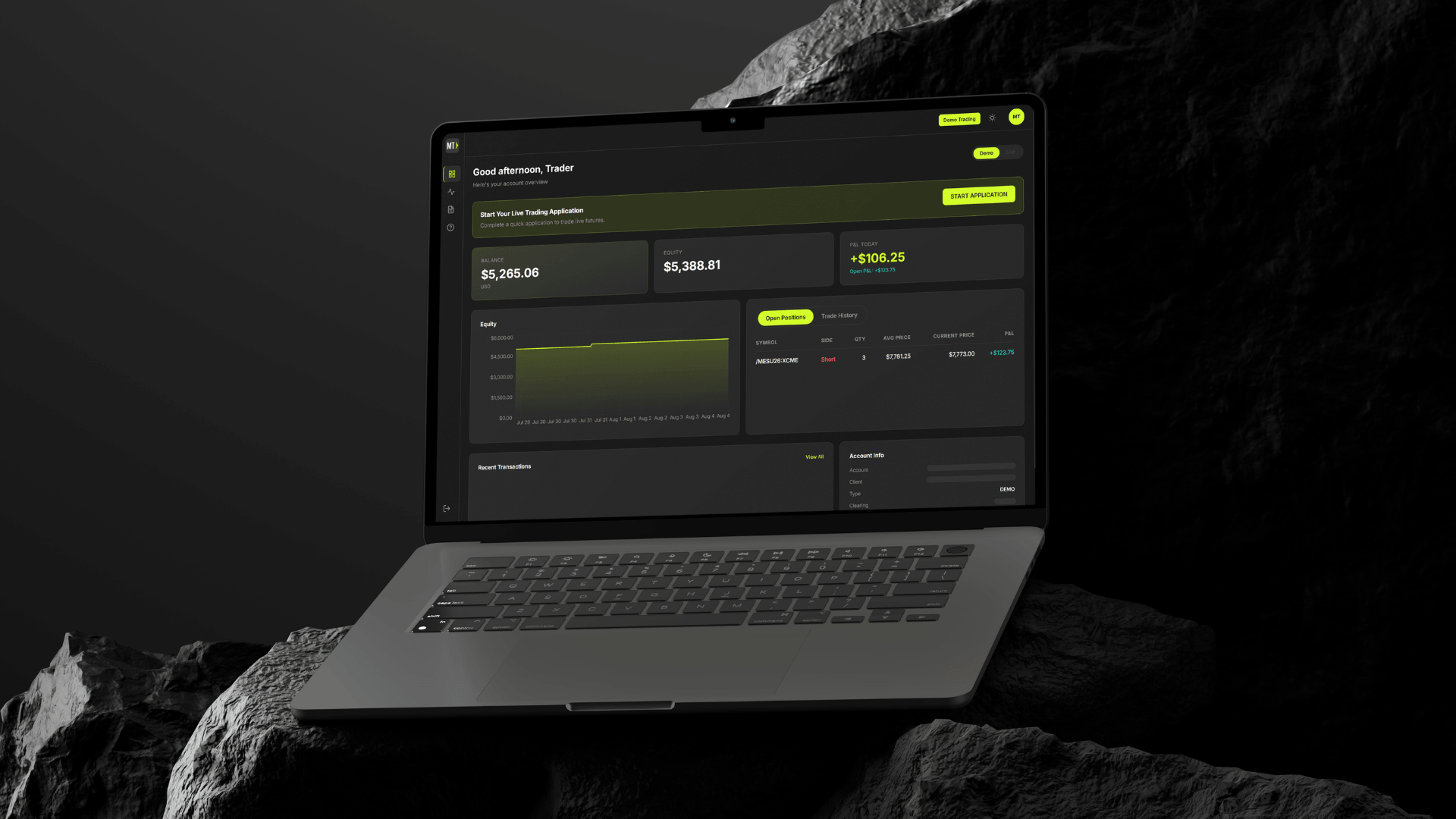
The account portal is where you manage everything outside of the platform. It now shows the options that match your account, including demo access, live account applications, and funding.
From the portal, you can:
- Launch the platform: Open your demo or live account on the new web platform with one click.
- Apply for a live account: Start your live account application when you’re ready to trade with real funds.
- Fund your account: Make a deposit once your live account is approved, using the funding method that works for you.
What you see in the portal depends on your account:
- New registrants: A button to launch your 30-day demo of the new platform, plus the option to start a live account application.
- Existing users without a live account: Access to your legacy demo while it’s active, a new 30-day demo of the new platform, and the live account application.
- Existing live account holders: Access to the legacy platform and your current funding options, plus the option to open a new live account for the new platform.
Why We Rebuilt the MetroTrade Experience
Our goal is to make futures trading more accessible while still giving traders the tools they need. As we grew, we saw clear ways to simplify the path from signing up to placing a first trade.
Building the platform, app, and portal as one connected system means fewer handoffs between tools, a more consistent experience across devices, and a foundation we can keep improving.
What isn’t changing is our focus on transparent pricing, competitive commissions and intraday margins, and trader education.
What to Expect Based on Your Account
The new experience looks slightly different depending on where you are with MetroTrade today.
If You’re New to MetroTrade
You’ll have the most direct experience. Create your MetroTrade account and you’ll get a 30-day demo of the new platform right away.
When you’re ready to trade with real funds, start a live account application from the portal. Once your application is approved, you’ll be able to fund your account, and in most cases, start trading instantly on the new platform.
If You Have a Live MetroTrade Account
Nothing changes with your current account today. You can keep trading on the legacy MetroTrader platform and manage your funds the same way you do now.
To trade on the new platform, you’ll need to open a new live account through the updated application. Your portal will show options for both your current account and the new application.
Over time, we plan to transition all traders to the new platform. We’ll share timing and details in advance, so there’s no action required today.
If You Have a MetroTrade Account, but No Live Account
Your demo on the legacy platform has either expired or will expire soon. To replace it, you’ll receive a new 30-day demo of the new platform.
While your legacy demo is still active, the portal will show options for both demos. When you’re ready to go live, start a live account application from the portal. Approved accounts trade on the new platform.
How to Get Started on the New Platform
- Log in or register. Sign in to your MetroTrade account at metrotrade.com, or create a new one.
- Explore the demo. Open your 30-day demo of the new platform from the portal to get familiar with the layout and tools.
- Start your live application. Select the live account application option in the portal and complete the required steps.
- Fund your account. Once approved, choose a funding method and follow the on-screen instructions.
- Start live trading. Once your trading account is funded, enter the platform, switch to your live account, and start trading.
Explore the New MetroTrade Today
The new MetroTrade brings our platform, mobile app, and account portal together into one connected experience. Whether you’re brand new or have traded with us before, the portal will guide you to the options that fit your account.
Ready to trade on the new platform? Log in or create your MetroTrade account to start your live account application.
FAQs
What is the new MetroTrade experience?
The new MetroTrade experience includes a rebuilt web trading platform, a new mobile app, and an updated account portal. All three are designed to work together.
Do I need a new account to use the new platform?
If you already have a live MetroTrade account, yes. You’ll need to open a new live account through the updated application to trade on the new platform. New registrants and users without a live account apply through the updated application from the start.
Can I still use the legacy platform?
Yes, if you have an existing live account. You can continue trading on the legacy platform while you decide when to open an account on the new platform.
What happens to my legacy demo account?
Legacy demo accounts will expire on their normal schedule. If you have a MetroTrade account without a live account, you’ll receive a new 30-day demo of the new platform.
Can I move my balance from my current live account to a new account?
Balances will not be able to be transferred directly. First, you will need to open a new live trading account through the new application.
Then, simply withdraw funds from your Dorman Trading account to your bank account, and make a deposit into your new trading account at NinjaTrader Clearing.
What funding methods are available for new live accounts?
New live accounts can be funded by ACH, debit card, Apple Pay, Google Pay, or wire transfer. Instructions for each method are on the account funding page.
The content provided is for informational and educational purposes only and should not be considered trading, investment, tax, or legal advice. Futures trading involves substantial risk and is not suitable for every investor. Past performance is not indicative of future results. You should carefully consider whether trading is appropriate for your financial situation. Always consult with a licensed financial professional before making any trading decisions. MetroTrade is not liable for any losses or damages arising from the use of this content.